
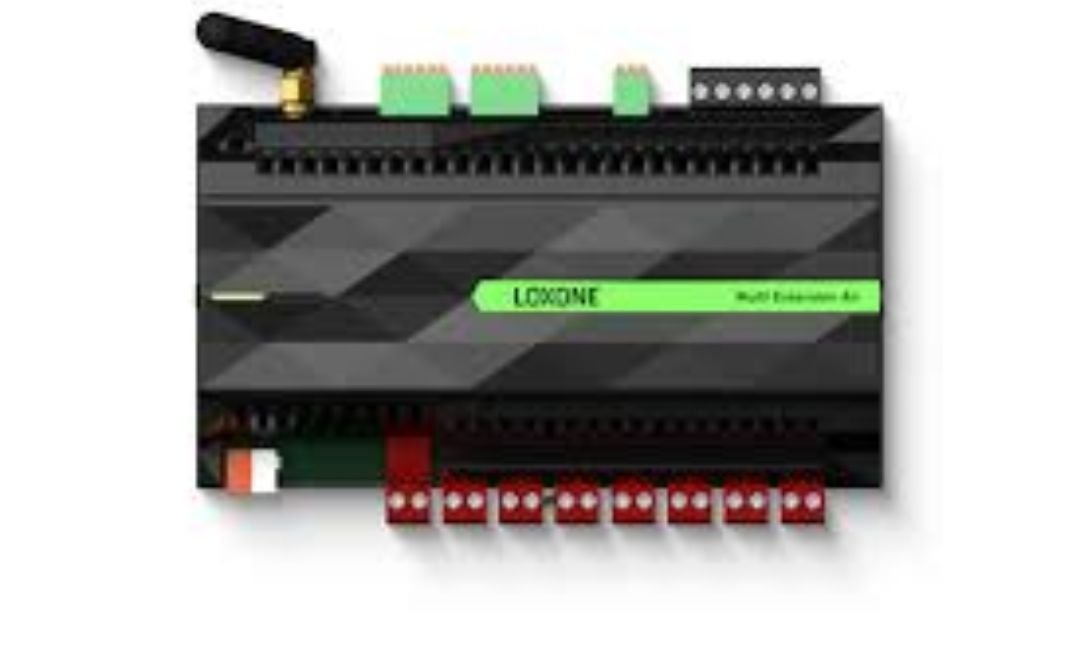
Introduction to Loxone Air
Loxone air transforms how you automate your home. This wireless technology lets you control lights, heating, and more without pulling new wires. Experts design it for real-world use, making it simple for anyone to upgrade their space.
Loxone started in 2009 in Austria. They focus on smart building solutions that work together. Loxone air launched in 2014 as their answer to wireless needs. It helps in old homes where wiring is hard. Today, it powers thousands of setups worldwide, from small apartments to big offices.
This article dives deep into loxone air. You learn its background, how it operates, key features, and why it stands out. We cover installation steps, benefits, and tips to get the most from it. Whether you retrofit or build new, loxone air offers reliable control.
The Background of Loxone Air
Loxone began as a company aiming to make buildings smarter. Founders Thomas Moser and Martin Öller saw a gap in automation. They wanted systems that think for you, not just react.
In 2014, they introduced loxone air. It solved a big problem: many homes lack easy wiring for smart tech. This wireless option uses radio signals to connect devices. It builds on their wired Tree system but adds flexibility.
Over years, loxone air evolved. Updates added better security and range. Now, it supports up to 128 devices per base. Loxone invests in research, ensuring it stays ahead. Their tech avoids common wireless pitfalls like interference.
Achievements include powering over 200,000 installations globally. Awards recognize their innovation in energy savings. For example, systems with loxone air cut energy use by up to 50% in some cases, based on user reports. It integrates with lights, shades, and climate controls seamlessly.
How Loxone Air Works
Loxone air uses mesh networking. Devices talk to each other, passing signals like a team. This extends range without dead spots.
At the core is the Air Base Extension or Miniserver Go. It acts as the brain, connecting to your network. Devices pair via radio on 868 MHz in Europe or 915 MHz in the US. Encryption with IPSec AES 128-bit keeps data safe. Each setup gets a unique key.
Signals hop up to five times through repeaters. Fixed-power devices help relay messages. Battery ones save energy by sleeping until needed.
Communication avoids broadcasts. The system sends targeted commands in milliseconds. Delays happen only with weak signals or busy channels. You check status via LEDs or the app.
For battery devices, wake them manually for setup. Press buttons or cycle power to activate pairing mode. This design makes loxone air reliable for daily use.
Key Features of Loxone Air
Loxone air packs features that make it user-friendly and powerful. Here are the main ones:
- Mesh Technology: Devices form a network, boosting range. Signals jump through up to five hops.
- Encryption: AES 128-bit secures all data. It protects against hacks and replay attacks.
- Battery Support: Use wireless sensors without outlets. They last years on low power.
- Diagnostics: Check signal strength (RSSI) and channel use. Fix issues fast.
- Auto Updates: Devices get free firmware upgrades via the Miniserver.
- Channel Selection: Pick from multiple channels to avoid interference.
- Wake-Up Mode: Activate sleeping devices for calibration or changes.
These features ensure loxone air runs smoothly. For instance, the Touch Air switch has five points for quick control of lights and shades.
Benefits of Using Loxone Air
Choose loxone air for its clear advantages. It simplifies life while saving money.
First, it enables easy retrofits. No need to tear walls for wires. Install in hours, not days. This suits renters or historic homes.
Second, it boosts energy efficiency. Automate lights and heating to match your routine. Users report 30-50% lower bills.
Third, security stands out. Encrypted links keep your data private. Integrate with alarms for peace of mind.
Fourth, scalability shines. Start small, add devices later. Up to 128 per base covers big spaces.
Fifth, reliability matters. Mesh avoids single failure points. It works offline, unlike cloud-dependent systems.
Finally, comfort comes easy. Control via app or voice. Rooms adjust automatically to weather or time.
Real users praise its stability. One forum post notes full coverage in a five-bedroom house with one base and strategic placement.
Step-by-Step Installation Guide for Loxone Air
Installing loxone air is straightforward. Follow these steps for success.
Step 1: Plan Your Setup Map your home. Note where devices go. Ensure the base reaches key areas. Use repeaters for far spots.
Step 2: Set Up the Base Connect the Air Base Extension to your Miniserver. Power it on. Download Loxone Config software. Run the wizard to choose language and folders.
Step 3: Pair Devices Put devices in pairing mode. For battery ones, insert batteries. Press buttons for five seconds on others. In Config, search for devices. Identify them by flashing LEDs.
Step 4: Assign Names and Rooms Label each device. Group by room for easy control.
Step 5: Test Signals Check RSSI in diagnostics. Aim for values closer to 0 dB. Adjust antennas if needed.
Step 6: Optimize Channels Scan for interference. Switch channels if utilization is high.
Step 7: Integrate Functions Link to lights, HVAC, or shades. Use the app for testing.
Tips: Start close to the base. Move devices after pairing. For AC control, plug the AC Control Air directly. If issues arise, wake devices manually.
This process takes under an hour for basic setups. Professionals handle complex ones.
Compatibility and Integrations with Loxone Air
Loxone air plays well with others. It connects to various systems for full automation.
Core compatibility includes Loxone’s Miniserver and Tree tech. Mix wired and wireless seamlessly.
It supports devices like:
- Touch switches for room control.
- Presence sensors for motion and light.
- Weather stations for outdoor data.
- IR controls for TVs and AC.
Integrate with third parties. For lighting, pair with XAL luminaires via loxone air modules. Learn more about XAL integration.
For blinds, use Shading Actuator Air. It detects ends automatically.
Open protocols like Modbus or DALI expand options. Voice control via apps adds convenience.
Community forums share tips on custom integrations. Join discussions here.
This flexibility makes loxone air ideal for diverse needs.
Loxone Air vs Other Wireless Protocols
Compare loxone air to rivals like Zigbee, Z-Wave, and Wi-Fi. It often wins for smart homes.
Vs Zigbee: Both use mesh. But loxone air has stronger encryption and building-specific design. Zigbee suits general IoT, while loxone air optimizes for automation. Range is similar, but loxone air handles more hops reliably.
Vs Z-Wave: Z-Wave offers good range but slower speeds. Loxone air is faster for quick commands. Z-Wave is open, but loxone air integrates tighter with Loxone ecosystem.
Vs Wi-Fi: Wi-Fi consumes more power and crowds bands. Loxone air uses less-crowded frequencies for stability. No cloud reliance means loxone air works during outages.
Vs Bluetooth LE: BLE is short-range. Loxone air covers whole homes via mesh.
Vs Thread/Matter: These are emerging. Loxone air already proves itself in real installs. It avoids interoperability issues by focusing on Loxone devices.
Users note loxone air‘s reliability in dense areas. Choose it for dedicated automation over general protocols.
Real-World Examples and Case Studies
See loxone air in action through stories.
In a Krakow apartment, builders added loxone air late. It automated lights, heating, and music wirelessly. Owners saved 40% on energy.
A UK home used it for retrofits. Presence sensors triggered lights, cutting waste. Installation took a weekend.
Offices benefit too. One setup linked AC and shades for comfort. Employees reported better focus.
In warehouses, loxone air monitors temps wirelessly. It prevents spoilage without cables.
These examples show versatility. For more inspiration, check press releases.
Troubleshooting Common Issues with Loxone Air
Problems happen, but loxone air makes fixes easy.
Issue 1: Weak Signal Solution: Check RSSI. Add repeaters like Smart Sockets. Angle antennas horizontally.
Issue 2: Device Offline Solution: Wake battery devices. Cycle power. Rescan in Config.
Issue 3: Interference Solution: Change channels. Avoid metal or thick walls.
Issue 4: Pairing Fails Solution: Bring closer to base. Ensure mode activates.
Issue 5: Delays Solution: Limit hops to two. Optimize placement.
Use diagnostics tools. Health Check spots issues fast. Most fixes take minutes.
The Future of Loxone Air
Loxone air keeps improving. Recent updates added Remote Air for easy control.
Expect more integrations, like AI for predictive automation. Energy focus will grow with solar ties.
Loxone commits to free updates. Devices stay current.
As smart homes rise, loxone air leads with reliability. It adapts to new needs without overhauls.
FAQs About Loxone Air
What is loxone air? Loxone air is a wireless tech for smart home automation, perfect for retrofits.
How secure is loxone air? It uses AES 128-bit encryption, safe from common attacks.
Can I install loxone air myself? Yes, with basic tools. Pros help for complex setups.
What devices work with loxone air? Sensors, switches, actuators, and more from Loxone.
How does loxone air compare to Wi-Fi? It’s more reliable and power-efficient for automation.
Conclusion
Loxone air offers a smart, wireless way to automate your space. It brings security, efficiency, and ease together. From retrofits to new builds, it adapts to your life.
In summary, loxone air stands out with mesh tech, strong features, and proven benefits. It saves energy, boosts comfort, and grows with you.
Ready to try loxone air? What part of your home would you automate first?